Create entry note
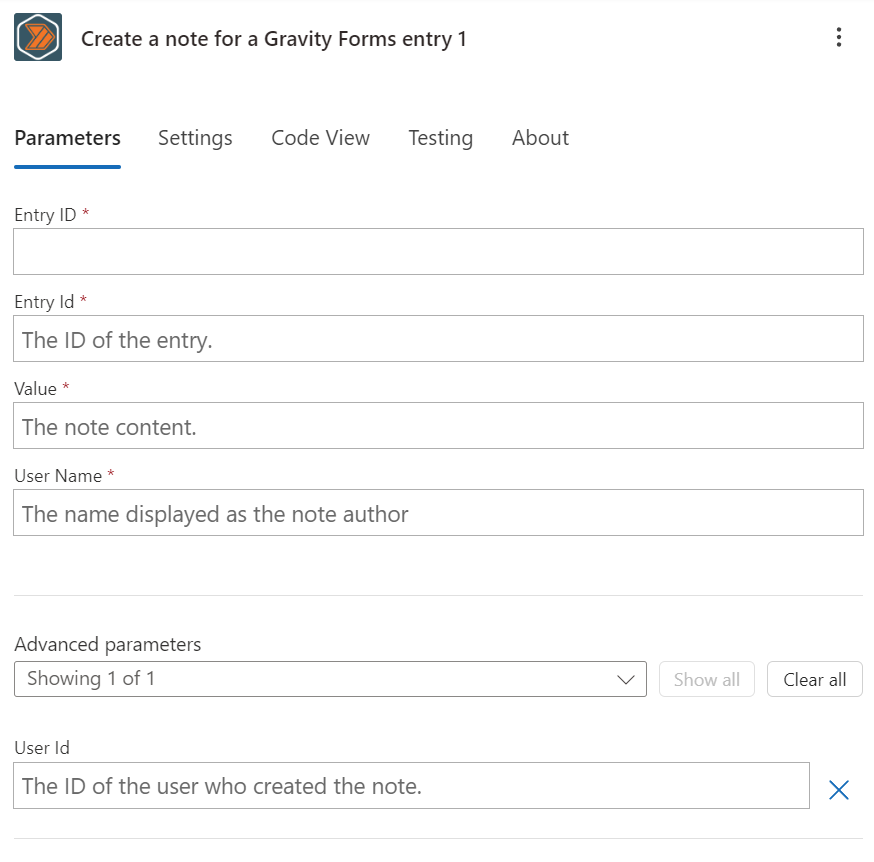
Overview
This action allows you to create a note for a specific entry in a Gravity Forms form.
Configuration
Entry ID
When you select the "Create a note for a Gravity Forms entry" action, you will be prompted to enter the ID of the entry you want to create a note for.
You may need to specify the entry ID twice, once in the "Entry ID" field and once in the "Entry Id" field in the "Create a note for a Gravity Forms entry" action.
Value
The note content of the note you want to create. This is a required field.
User Name
The author name that you want to appear on the note. This can be any value you want. This is a required field.
User ID
The ID of the author that you want to appear on the note. This can be any value you want.
Outputs
ID
The ID of the note that was created.
Entry ID
The ID of the entry that the note was created for.
User ID
The ID of the user that created the note.
Date Created
The date and time the note was created.
Value
The content of the note.
Note Type
The type of note that was created. This will always be "user" for notes you create here.
The standard note types supported by Gravity Forms are:
- "user" (Default value)
- "system"
- "note"
- "notification" (subtypes: success, error)
- "save_entry"
- The slug of a plugin that creates notes
Sub Type
The subtype of the note that was created. This will always be empty for notes you create here.
User Name
The name of the user that created the note.
User Email
The email of the user that created the note. This will only be set if the user id is set and valid in your creation request.