Validate entry
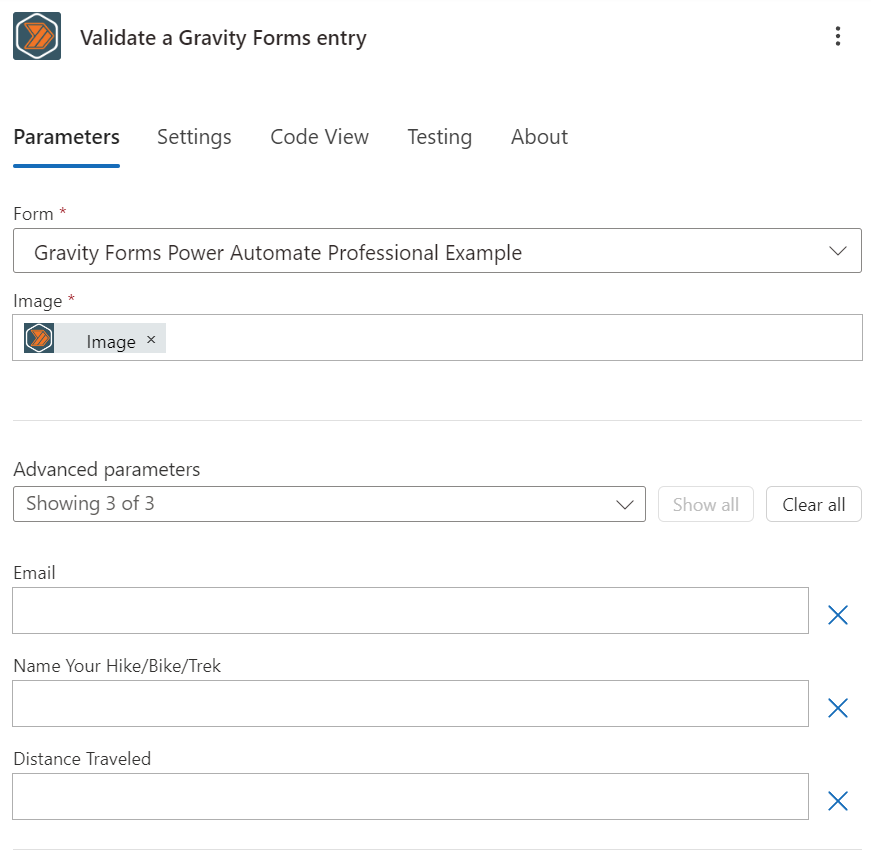
The image above shows dynamic fields for the "Validate a Gravity Forms entry" action. You will see your own fields for the form selected._
Overview
This action allows you to validate a Gravity Forms entry. You can use this action to check if an entry is valid before proceeding with your flow.
If the form passes validation the configured anti-spam checks will also be performed.
For more information you can check the Gravity Forms documentation: Validating Forms with the REST API v2.
Configuration
Form ID
When you select the "Validate a Gravity Forms entry" action, you will be prompted to select the form you want to validate entries for. You can select from a list of all active forms on your WordPress website.
Dynamic Fields
After you select a form, Power Automate will query your WordPress website to get a list of fields for the form. These fields are dynamic depending on the form you select.
Outputs
Is Valid
This field will return a boolean value indicating if the entry is valid or not.
Validation Messages
This field will return an array of validation messages if the entry is not valid. If the entry is valid, this field will be empty.
Page Number
For multi-page forms, this is the page that should be displayed. You probably won't ever need this.
Is spam
This field will return a boolean value indicating if the entry is spam or not.